
Updated October 30, 2026
Phone Minigame While Training
Recognize the Phone control and the runner shown in recorded treadmill gameplay.
Quick answer
While running on the treadmill, the reviewed PC video opens a runner through Phone. Avoid obstacles and check the result screen for distance and mission progress.
Work through the checks
Based on the official description and visible community gameplay. Use your current server for changed requirements.
Open Phone on the treadmill
Open Phone while training on the treadmill.
- Success check
- The runner window appears.
- If it remains unclear
- Use the current device controls and close other menus.
Read the supporting evidence
§Open Phone on the treadmill#
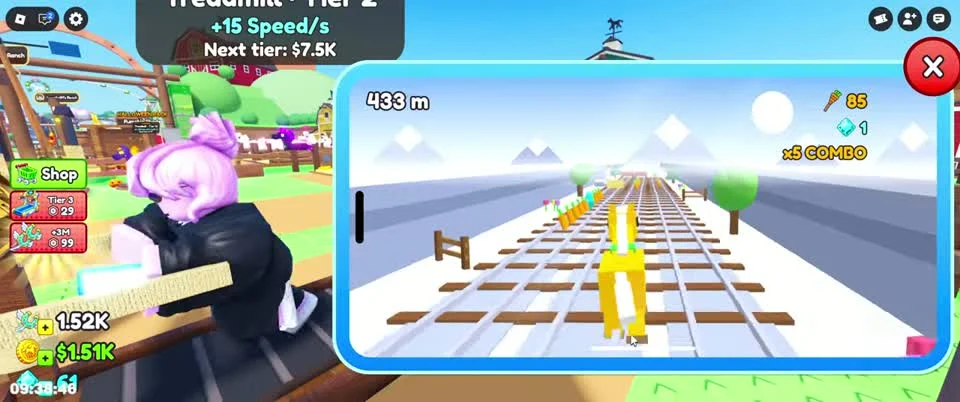
The reviewed recording shows a Phone button while the character trains. Opening it displays a horse runner on rails with a close control at the top. This is recorded PC gameplay; follow the controls shown on your device.
Close the window to return to the main view when you want to inspect the ranch. The footage does not establish a universal key map or an automatic-play method.
Watch the track and distance
Watch upcoming obstacles and the distance display.
- Success check
- The run distance continues increasing.
- If it remains unclear
- Use the result to identify where the run ended.
Read the supporting evidence
§Watch the track and distance#
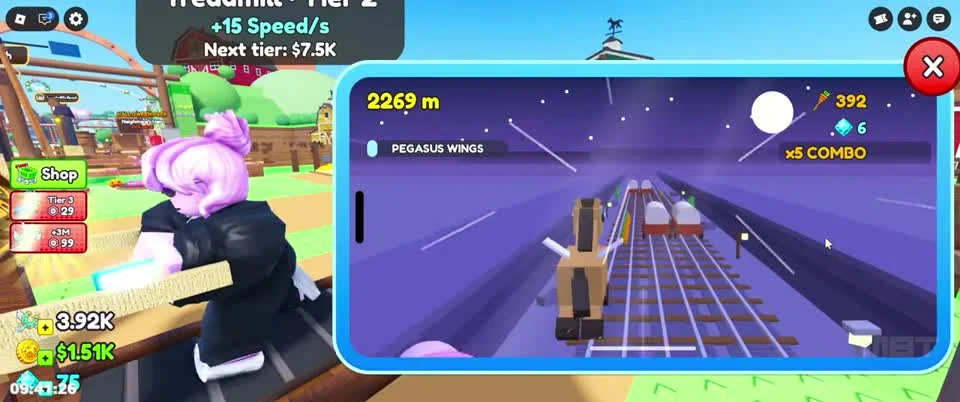
The runner shows obstacles, collectible items, distance in metres and a personal-best indicator. Keep watching the upcoming track. Later footage shows a purple segment with a PEGASUS WINGS indicator.
The recording supports multiple visual segments, but does not prove a fixed unlock distance or the best farming route. Use the current interface to learn which actions your device supports.
Read the result before another run
Read the CRASHED screen and Daily Missions.
- Success check
- You can see the run distance and mission progress.
- If it remains unclear
- Check current reward prompts; NEONRUN contents remain unspecified.
Read the supporting evidence
§Read the result before another run#
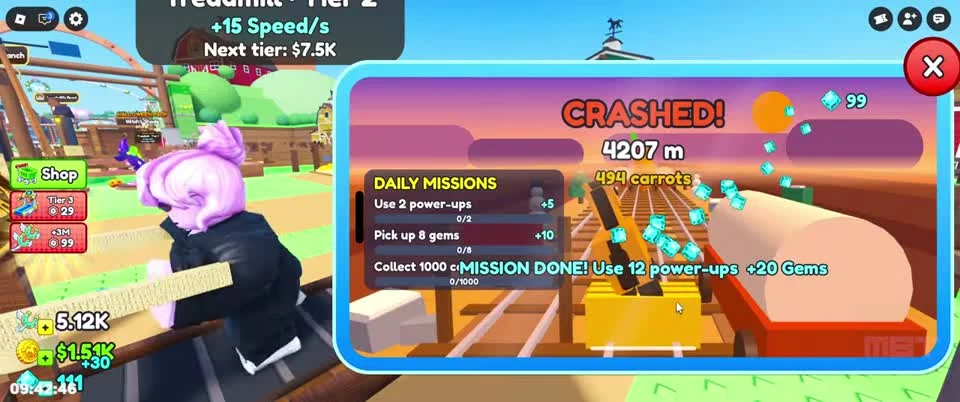
A CRASHED result screen shows the run distance and Daily Missions. Check which objective advanced and which rewards are offered before starting another run.
The developer lists NEONRUN for a gift in the minigame. The precise gift contents and entry prerequisites remain unspecified. This site has not redeemed that code.
Scope and sources
Official description and community recordings checked October 30, 2026.
- Gameplay screenshots show a community recording. Menus, prices and progression requirements can change after updates.